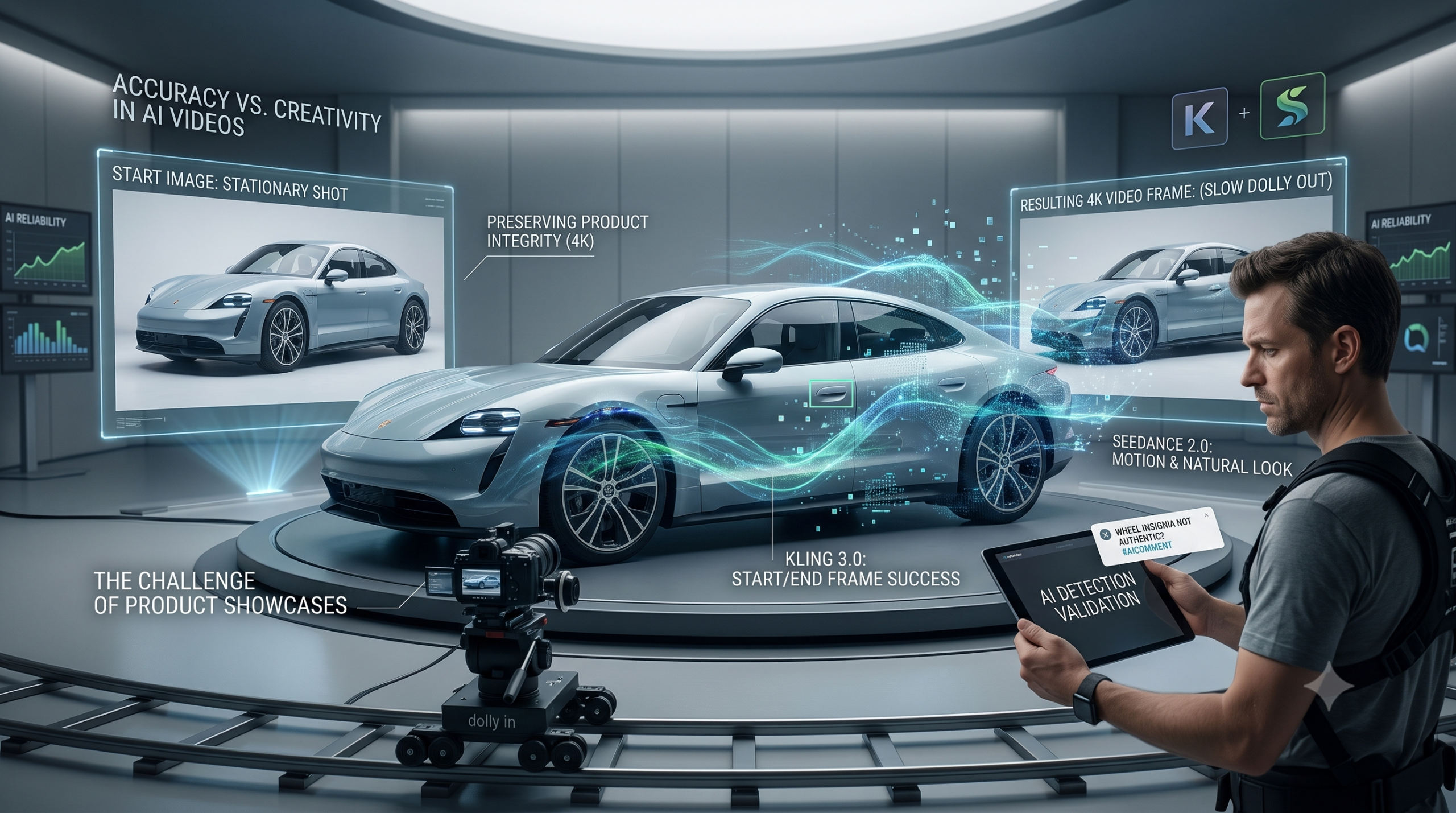
Using AI like Kling 3.0, Seedance 2.0 or any other model has its limits for now. Companies want content that is accurate and realistic to sell their service or product.
To sell a service, it’s easier to use AI since it doesn’t involve a product that needs to be 100% accurate. To sell a service, one can simply create models for their video, design multiple scenes where the digital actors play their sketch, and it can be done relatively quickly when you know what you are doing.
However, when it comes down to showcasing a product like a new car, it becomes more of a challenge. A huge step forward is that it is now possible to render videos in 4K to preserve small details.
But every time the AI models start to work on your product that you want to sell, there is a small chance that the model becomes creative and removes or adds things during the scene. Many times this can be solved by using a start scene and an end scene, but when you have only one photo, I would advise making small camera movements like a slow dolly in or an orbit to the left/right for 30%.
As soon as you use a dolly out with only one photo, the AI has no other option but to add things that might be inaccurate compared to the product you want to sell. For example, if you have a close-up shot of a door handle of a car and you command the AI to do a slow dolly out, the result will be that the AI model has to guess which car it is dealing with. Even if you mention the model, it still has trouble with it at the time of writing this blog.
This will throw people off as soon as they realize they are watching an AI video. Especially when it comes to car enthusiasts, they might not be the ones to buy the car, but they will definitely comment underneath the video that it’s AI, creating a negative association and implying that you, the seller, cannot be trusted.
How do you solve this problem?
To keep the car or product 100% accurate with reality, you have to use two photos and render the video in 4K. This is the only way, whether you choose a dolly out or an orbit shot, to keep the car or product 100% accurate.
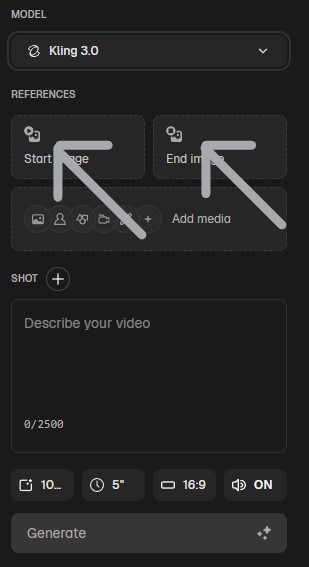
Choose the start and end images of your product, and make sure the AI is able to connect them easily. Don’t use a start image of the front of the car and an end image of the interior. This principle can be applied to everything.
In this example, I selected Kling 3.0 since it is able to do an excellent job with a start and end image.
However, when the product contains a person, I strongly advise using Seedance 2.0 since it is able to preserve a more natural motion and look of the person that is in the scene with the product. Of course, this might change with time.